From Firefighting to Portfolio Control: How Cross‑Project Dashboards Are Transforming Architecture and Construction Firms
Architecture and construction firms are under more pressure than ever: compressed timelines, volatile material prices, stricter contractual penalties, and clients who expect real‑time transparency. Yet many organizations still run multimillion‑dollar portfolios using spreadsheets, email threads, and isolated project meetings. The result is a constant state of firefighting—reacting to issues once they are already costly, visible, and politically sensitive.
Cross‑project dashboards, powered by modern construction ERP and SaaS platforms such as BuildX, are changing that dynamic. Instead of chasing status updates project by project, leaders can see the entire portfolio in one place—cost, schedule, risk, and resource health—updated in near real time. This article explores how that shift from project firefighting to portfolio control works in practice, and what it means for architecture and construction firms that want to scale profitably.
 From Project Chaos to Portfolio Control
 From Project Chaos to Portfolio Control
In a traditional setup, each project manager maintains their own tracking systems—Excel files, WhatsApp groups with site supervisors, ad‑hoc PDFs from QS teams, and scattered procurement emails. Even when a firm has a core ERP, portfolio‑level visibility is often fragmented and delayed. Executives get a monthly report that is already outdated by the time it is compiled.
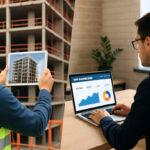
Cross‑project dashboards replace that fragmented picture with a single, unified portfolio view. Systems like BuildX ERP for construction companies consolidate data from CRM, material management, task management, finance, and project management into integrated dashboards tailored for builders and contractors. These dashboards expose the same key metrics across projects, so leaders can compare performance and intervene early instead of waiting for a crisis.
In other words, the locus of control moves from individual projects to the portfolio. Rather than asking, “How is Project A doing this week?”, leadership can ask, “Which projects are trending toward cost overrun or schedule slippage, and what levers do we have across the entire portfolio to correct course?”
What a Modern Cross‑Project Dashboard Looks Like
Different platforms implement dashboards in different ways, but the most effective implementations share several characteristics. Drawing on the capabilities of solutions like BuildX ERP and project tracking tools such as Buildx from Buildcon, we can describe a reference model for a modern cross‑project dashboard.
1. Unified Portfolio Overview
At the highest level, you should see a portfolio summary with each active project represented as a tile or row. For each project, standard indicators typically include:
- Project health score (e.g., composite of cost, schedule, quality, and risk)
- Budget vs. actual cost, including committed costs and forecast at completion
- Schedule adherence (planned vs. actual progress, key milestone status)
- Cash flow position (billing, collection, and payment status)
- Open issues and RFIs affecting critical path
Platforms like BuildX ERP provide project‑based income and expense dashboards as well as reports on budget vs. actual quantity and rate variations. When standardized across projects, these become the building blocks of portfolio visibility.
2. Drill‑Down Capability from Portfolio to Site
A portfolio dashboard is only useful if decision‑makers can drill down from a red indicator to root causes quickly. Modern construction ERPs combine high‑level portfolio views with project‑level dashboards that show:
- Detailed cost breakdown by trade, WBS element, or work package
- Procurement and material status—what is ordered, delivered, delayed, or overconsumed
- Task and activity tracking, including percent complete vs. plan
- Document management for drawings, contracts, and change orders
BuildX ERP, for example, integrates modules for CRM, material management, task management, project management, finance, and document management, and supports dashboards for each of these areas. Combined with field‑oriented tracking solutions like Buildx from Buildcon, which emphasize project schedule and cost tracking, leadership gets a seamless drill‑down from portfolio to individual site activities.
3. Real‑Time and Field‑Connected Data
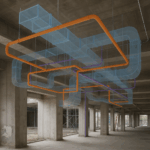
One of the biggest failure modes of dashboards is stale data. To avoid this, modern platforms connect directly to field inputs, either via mobile apps or augmented‑reality‑assisted site tools. BuildX (Indonesia) illustrates this with its combination of BIM‑based augmented reality field views and a connected construction ERP. Site teams can validate work against the BIM model, trigger issues, and update progress in real time, feeding accurate information back into the central dashboards.
Similarly, Buildcon’s Buildx solutions focus on real‑time supervision of project finances and work progress, helping field engineers and specialists update stakeholders directly through the app. The more that field teams interact with the system in their daily workflow, the more trustworthy and current the portfolio dashboards become.
Key Analytics That Matter Across Projects
A cross‑project dashboard is not just a collection of charts; it is a curated set of analytics designed to answer specific management questions. The following categories are particularly important for architecture and construction firms.
1. Cost Overrun and Margin Protection
At portfolio level, leaders care about which projects are at risk of eroding overall profitability. Dashboards should track:
- Budget vs. actual vs. forecast at completion by project
- Variance by cost code (labor, materials, subcontractors, equipment)
- Approved and pending change orders and their impact on margin
- Procurement variances (e.g., unit rates vs. BOQ, wastage, and rework)
BuildX ERP’s project management and finance modules support project‑based income and expense tracking and reporting on budget vs. actual quantity and rate variations. When rolled up to portfolio level, this enables management to spot which projects are steadily burning contingency or dipping below target margin—weeks or months before those problems show up in year‑end financials.
2. Schedule Adherence and Throughput
From a planning perspective, schedule slippage on a few key projects can derail an entire firm’s capacity plan. Cross‑project dashboards should monitor:
- Planned vs. actual progress curves (S‑curves) by project
- Milestone achievement rates and upcoming critical milestones
- Average delay days and causes (design, approvals, materials, site access, variations)
Construction tracking solutions like Buildx emphasize project schedule monitoring and progress updates from the field. Combined with ERP‑level scheduling and task management, portfolio dashboards can highlight which projects are structurally behind schedule and which are on track but temporarily delayed due to resolvable issues.
3. Resource Utilization Across Projects
Cross‑project dashboards also play a crucial role in optimizing shared resources—specialist teams, key equipment, and even critical subcontractors. By visualizing:
- Resource allocation by project and time period
- Over‑allocation or underutilization hotspots
- Upcoming demand vs. confirmed capacity
firms can adjust staffing plans and subcontracting strategies before overload or idle time becomes expensive. ERP modules for HR, payroll, and time schedulers, such as those in BuildX ERP, provide the underlying data for these analyses.
4. Risk, Issues, and Quality Signals
Finally, portfolio dashboards should offer a consistent way to see risk and quality trends across projects. Typical indicators include:
- Number and severity of open issues and defects
- Frequency and impact of rework
- Safety incidents and near‑miss reports
- Client satisfaction or complaint levels
With AR‑assisted field validation like that provided by BuildX’s BIM AR tools, defects and clashes can be detected before installation, reducing downstream rework and schedule impact. When that data feeds into dashboards, management can see which projects and teams consistently deliver first‑time‑right quality—and replicate their practices elsewhere.
From Gut Feel to Data‑Driven Portfolio Decisions
Most firms already make portfolio‑level decisions: which projects to pursue, which bids to prioritize, which clients to focus on, and which projects require senior intervention. The difference with cross‑project dashboards is that these decisions become systematically data‑driven rather than based on gut feel, internal politics, or whichever project manager shouts the loudest.
With a well‑designed dashboard, leadership can answer questions such as:
- Which projects are currently driving the majority of portfolio risk?
- Where are we consistently underestimating costs or durations in our bids?
- Which client segments or project types yield the most stable margins?
- Which regions or teams are delivering on time and on budget most reliably?
Because systems like BuildX ERP centralize CRM, financials, project management, and material data, firms can also run historical analysis to improve pre‑construction decisions. For example, if projects with specific design complexities or certain subcontractors regularly suffer cost overruns, that pattern will be visible in the portfolio analytics—and can be priced or mitigated accordingly in future bids.
ROI of Cross‑Project Dashboards and SaaS Platforms Like BuildX
Cross‑project dashboards and the underlying SaaS platforms require investment—in software licenses, implementation, integration with existing processes, and change management for project teams. However, the ROI can be substantial when measured across an entire portfolio.
1. Direct Financial Benefits
Several levers contribute directly to financial returns:
- Reduced cost overruns: Early visibility of deviations enables corrective action before they compound.
- Higher project margins: Improved cost control and more accurate change order management protect profitability.
- Lower rework costs: AR‑assisted validation and better coordination reduce errors that would otherwise require demolition and reinstallation.
- Optimized resource usage: Better utilization of teams and equipment cuts idle time and overtime premiums.
BuildX (Indonesia) explicitly highlights the ability to cut rework costs by up to 70%, accelerate projects by around 30%, and eliminate dozens of hours of repetitive work each week through automation and connected workflows. While actual numbers will vary by firm and maturity level, these order‑of‑magnitude improvements are consistent with what many organizations experience when moving from manual, fragmented systems to integrated project analytics.
2. Productivity and Capacity Gains
Beyond direct cost savings, portfolio dashboards unlock productivity gains that allow firms to handle more work without proportionally increasing headcount:
- Faster reporting: Automated dashboards eliminate manual consolidation of spreadsheets and status reports.
- Shorter decision cycles: Executives and project leaders see the same live data, reducing time spent chasing information.
- Scalable governance: Standard portfolio views make it easier to manage more simultaneous projects with the same leadership bandwidth.
Platforms like Buildx emphasize that real‑time reports on quantities and costs empower better, faster decisions, while BuildX ERP’s multi‑user, multi‑level approval systems support structured governance workflows. Combined, these capabilities shift staff time from producing reports to interpreting them and taking action.
3. Strategic and Commercial Advantages
Finally, there are strategic benefits that are harder to quantify but critical for long‑term competitiveness:
- Stronger client trust: Transparent, data‑driven reporting improves confidence and reduces disputes.
- Better bid accuracy: Historical portfolio analytics feed more realistic pricing and scheduling assumptions.
- Differentiated positioning: Firms that can demonstrate real‑time portfolio control have a compelling edge in negotiations and pre‑qualification processes.
Implementation Roadmap: From Spreadsheets to Portfolio Dashboards
Moving from firefighting to portfolio control is a journey, not a single software purchase. Based on how platforms like BuildX ERP, Buildx project tracking, and integrated BIM‑ERP solutions are used in practice, a pragmatic roadmap might look like this:
Step 1: Standardize Data Structures and KPIs
Before implementing any tool, define standard project structures (WBS, cost codes, activity types) and KPIs (cost variance, schedule variance, health score) that will be used across all projects. Without this, a dashboard will simply visualize inconsistent data. Engage project managers, finance, QS, and planning teams to agree on a common language.
Step 2: Select a Core Construction ERP or Portfolio Platform
Choose a system that offers integrated modules for project management, finance, material management, and HR—like BuildX ERP—or complements your existing ERP with strong portfolio analytics. Evaluate whether the platform supports multi‑project dashboards, role‑based access, and custom reporting that align with your governance model.
Step 3: Connect Field Data and Site Teams
Deploy mobile apps, site tracking tools, or AR‑based field solutions that integrate directly with the core platform. The goal is to make data capture a by‑product of daily work, not an extra administrative burden. For example, using BIM‑AR for onsite validation and issue management, as seen in BuildX’s BIM AR solution, ensures that progress and quality data flow directly into dashboards.
Step 4: Build and Iterate Portfolio Dashboards
Start with a minimal set of cross‑project views: cost, schedule, and risk status for every project. Validate these dashboards with leadership and project teams, then iterate to add more nuanced analytics such as resource loading, subcontractor performance, or client segment profitability. Avoid trying to build a perfect dashboard from day one; focus on charts that directly inform real decisions.
Step 5: Embed Dashboards into Governance Routines
Finally, make portfolio dashboards the default starting point for management conversations. Monthly portfolio reviews, weekly risk meetings, and bid strategy sessions should all be anchored in the same cross‑project views. Over time, teams will naturally shift from anecdotal reporting to evidence‑based discussion—and the cultural change from firefighting to proactive control will stick.
Conclusion: Turning Data into a Competitive Advantage
Cross‑project dashboards are more than a visualization layer; they represent a fundamental shift in how architecture and construction firms manage risk, capital, and capability. By integrating field data, ERP modules, and portfolio‑level analytics, platforms like BuildX enable leaders to see issues early, act decisively, and scale operations without losing control.
For firms still trapped in spreadsheet chaos and reactive problem‑solving, the move to portfolio control can feel daunting. But the technology, practices, and reference models now exist—and early adopters are already using them to deliver projects more predictably, protect margins, and win client trust.
If you are exploring how to bring portfolio‑level dashboards into your architecture or construction business, BuildX can be a strong foundation for your transformation. It combines construction‑specific ERP capabilities with modern analytics and, where needed, BIM‑connected field tools to create a single, integrated view of your projects.
BuildX could become the construction dashboard solution your firm needs. Contact us to discuss integration options, automation workflows, and a roadmap tailored to your portfolio.