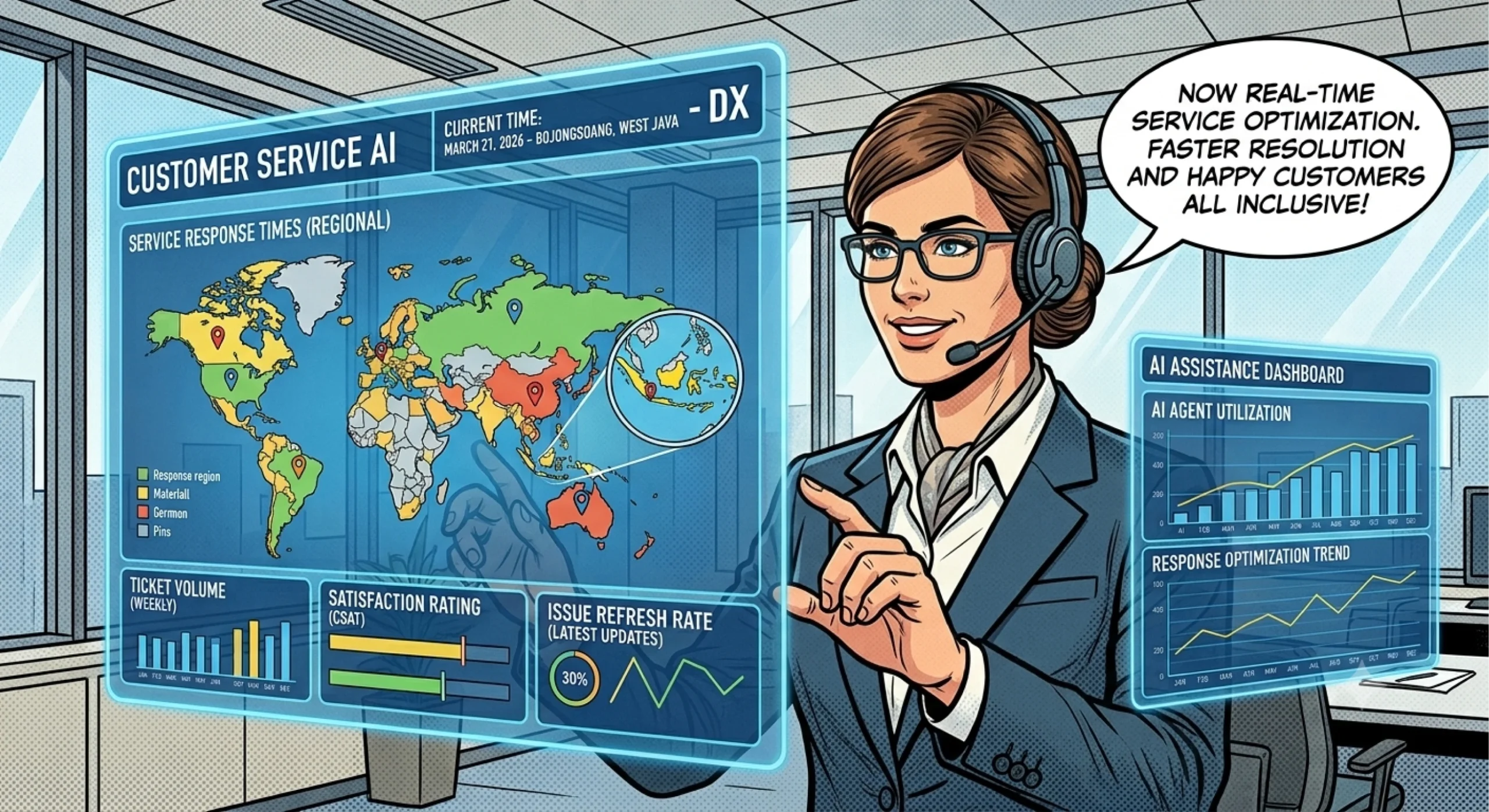
Customers expect businesses to answer questions quickly, whether they want to check a product’s availability, understand a service, or resolve an order issue. However, answering every message manually can overwhelm support teams, especially when inquiries arrive outside business hours or increase during busy periods.
An AI chatbot for business can help manage these interactions by understanding customer questions, providing relevant information, and guiding users toward the next step. Depending on its capabilities and integrations, it can also collect customer details, qualify sales inquiries, and connect conversations with human support.
Nevertheless, not every chatbot delivers the same results. Businesses need to understand the available features, identify suitable use cases, and establish clear boundaries for automated responses.
This guide explains how business AI chatbots work, the benefits they offer, and how to choose an appropriate solution for your operations.
What Is an AI Chatbot for Business?
An AI chatbot for business is a conversational software application that uses artificial intelligence to interact with customers or employees through text-based interfaces. Businesses commonly deploy chatbots on websites, messaging platforms, and customer support channels.
Unlike traditional rule-based chatbots that follow predefined menus, AI-powered chatbots can often interpret questions expressed in different ways. They may use natural language processing, language models, and business knowledge sources to generate relevant responses.
For example, a customer might ask, “Do you deliver to my area?” Another might write, “Can you ship this to my address?” An AI chatbot may recognize that both questions concern delivery, provided it has access to the appropriate policy information.
Depending on the implementation, a chatbot can help businesses with:
- Answering frequently asked questions
- Explaining products and services
- Collecting information from prospective customers
- Guiding users through common support procedures
- Routing inquiries to the appropriate department
- Supporting customer service outside regular business hours
An AI chatbot is not automatically connected to every business system. Access to order status, customer records, booking calendars, or payment information requires suitable integrations and permissions. Businesses should verify these capabilities before selecting a solution.
Essential Features of an AI Chatbot for Business
The right feature set depends on whether a business wants to improve customer support, generate leads, or simplify internal processes. Several capabilities deserve particular attention.
Natural language understanding
A useful chatbot should interpret common customer questions without requiring users to follow rigid menus. It should also recognize when a question lacks sufficient information and ask for clarification.
For example, if a customer asks about delivery time without specifying a location, the chatbot can request the destination before providing relevant information.
However, natural language understanding does not guarantee that every response will be correct. Businesses should test realistic questions and monitor answer quality.
Knowledge base integration
A knowledge base provides the information a chatbot uses to answer business-related questions. It may contain product descriptions, service policies, troubleshooting instructions, operating hours, and other approved information.
Keeping this information accurate helps the chatbot provide consistent answers. In addition, the business should define what happens when the knowledge base does not contain a reliable answer.
Multichannel communication
Some businesses need a chatbot for their website, while others prefer messaging platforms or additional customer communication channels.
Before choosing a solution, confirm which channels it supports and whether it can maintain the appropriate conversation context across them. For example, WhatsApp support may require a specific integration rather than a generic chatbot installation.
Human handoff and workflow automation
A business chatbot should provide a clear route to human assistance when a conversation requires judgment or investigation.
Depending on the software, it may also collect contact details, create support tickets, or trigger other predefined actions. These functions require appropriate integrations and access controls.
The most useful chatbot combines relevant answers, clear escalation rules, and practical workflow capabilities.
Key Benefits of Using an AI Chatbot for Business
AI chatbots can improve customer interactions when businesses deploy them for appropriate tasks and evaluate their performance carefully.
Faster responses to common questions
A chatbot can answer supported questions without waiting for a staff member to become available. This is particularly helpful for routine inquiries about business hours, product information, delivery policies, or appointment procedures.
As a result, employees can spend less time repeating the same explanations and more time handling complicated requests.
Support outside business hours
An appropriately configured chatbot can respond to inquiries during evenings, weekends, and holidays. This gives customers a way to obtain basic information even when the main support team is unavailable.
However, businesses should distinguish between answering a question and completing a transaction. Tasks such as confirming an order or changing a booking may require additional integrations.
More efficient lead generation
A sales chatbot can ask visitors about their needs, collect contact information with appropriate consent, and direct qualified inquiries to the relevant team.
For example, a software company might ask a prospective customer about company size, intended use, and preferred features before recommending a suitable next step.
The business should keep these conversations relevant and avoid collecting unnecessary personal information.
More consistent communication
A chatbot connected to approved business information can help standardize responses to common questions. This is particularly valuable when several employees handle similar inquiries across different channels.
Nevertheless, consistency requires regular maintenance. Outdated policies and conflicting knowledge sources can produce incorrect or misleading answers.
Better visibility into customer needs
Conversation records can reveal recurring questions, product concerns, and gaps in existing documentation. Businesses can use these patterns to improve their FAQs, website content, and support processes, subject to appropriate privacy and data retention practices.
Practical AI Chatbot Use Cases Across Different Businesses
The most effective chatbot use cases solve a clearly defined problem rather than attempting to automate every interaction.
E-commerce and online retail
An online store can use a chatbot to explain shipping policies, answer product questions, and guide customers through return procedures.
If the business integrates the chatbot with its order management system, it may also support order tracking. Without that integration, the chatbot should provide general guidance rather than claim to know an individual order’s status.
Service businesses
Consultants, agencies, clinics, and other service providers can use chatbots to explain service offerings, collect inquiry details, and guide customers toward booking procedures.
Appointment scheduling requires access to a compatible calendar or booking system if the chatbot needs to check actual availability or confirm appointments.
B2B companies and sales teams
A B2B chatbot can answer questions about product capabilities, implementation requirements, and service options. It can also collect information about a prospect’s objectives before directing the inquiry to a sales representative.
This approach helps teams prioritize conversations without assuming that every website visitor represents a qualified lead.
Customer support teams
Support departments can use chatbots to explain standard procedures, guide customers through basic troubleshooting, and collect information before transferring a case to an agent.
For complex complaints, account disputes, or sensitive situations, human assistance remains important.
How to Choose the Right Business AI Chatbot
Selecting a chatbot starts with defining the business objective. A solution designed for customer support may not offer the same features as one designed for lead generation or sales automation.
Evaluate the following factors before making a decision.
- Primary use case: Identify whether you need customer support, sales qualification, appointment guidance, or another specific function.
- Knowledge management: Check how the chatbot uses business documents and how easily your team can update them.
- Integration options: Verify compatibility with your website, messaging channels, CRM, booking tools, or support systems.
- Response quality: Test the chatbot with realistic questions, ambiguous requests, and questions it cannot answer.
- Human escalation: Confirm that customers can reach a person when automated assistance is insufficient.
- Privacy and security: Review access permissions, data handling, retention policies, and controls for sensitive information.
- Reporting: Determine whether the platform provides useful information about resolution rates, unanswered questions, and customer satisfaction.
Whenever possible, test the solution using real business scenarios before expanding deployment. This reveals practical limitations that a feature list may not explain.
Common AI Chatbot Mistakes and How to Avoid Them
Businesses can undermine chatbot performance when they deploy automation without clear objectives or adequate oversight.
Automating too much too soon: Start with routine, well-documented questions. Expand to more complex workflows only after testing the initial implementation.
Using outdated information: Assign responsibility for updating product details, policies, and operating procedures. Review answers whenever important business information changes.
Ignoring unanswered questions: Monitor conversations to identify topics the chatbot cannot handle. Improve the knowledge base or direct those requests to the appropriate employee.
Making human support difficult to reach: Provide clear escalation options. Customers should not have to repeat a long conversation simply because the chatbot cannot resolve their problem.
Measuring activity instead of outcomes: A high number of chatbot conversations does not necessarily indicate success. Review answer accuracy, successful resolutions, customer feedback, and the number of inquiries requiring additional assistance.
A structured testing and improvement process helps businesses use AI responsibly while maintaining customer trust.
Getting Started with an AI Chatbot for Your Business
Start by selecting one high-value use case, such as answering frequently asked questions or collecting information from sales inquiries. Prepare accurate source information, configure the chatbot’s boundaries, and define when it should transfer a conversation to a human.
Next, test common questions, unusual requests, and situations involving missing information. Once the chatbot performs reliably, expand its responsibilities based on actual customer needs and operational results.
Businesses exploring conversational automation can visit BuildX to learn more about its AI solutions. You can also review the BuildX AI Customer Service solution to evaluate whether its available capabilities match your business requirements.
For additional guidance on maintaining round-the-clock support, read this article about automating business support 24/7 with AI customer service.
Ultimately, an effective AI chatbot should make customer interactions easier, not more complicated. With a clear purpose, reliable information, and appropriate human oversight, businesses can introduce automation while preserving the support and accountability customers expect.
Frequently Asked Questions
1. What is the main purpose of an AI chatbot for business?
Its main purpose is to automate suitable conversations, answer common questions, guide customers through routine tasks, and support sales or customer service workflows.
2. Can an AI chatbot help a small business?
Yes. A small business can use a chatbot to answer frequently asked questions, collect customer inquiries, explain services, and provide basic support outside business hours.
3. Can a business AI chatbot work on WhatsApp?
Yes, if the selected solution supports the necessary WhatsApp integration. Businesses should verify setup requirements, supported features, and any relevant platform restrictions.
4. Is an AI chatbot better than a rule-based chatbot?
It depends on the use case. AI chatbots can interpret varied natural-language questions, while rule-based chatbots offer predictable responses for simple, predefined workflows. Some businesses benefit from combining both approaches.
5. Can an AI chatbot replace customer service employees?
Not completely. Chatbots can handle suitable routine tasks, but human employees remain important for complex complaints, sensitive issues, exceptions, and decisions requiring judgment.