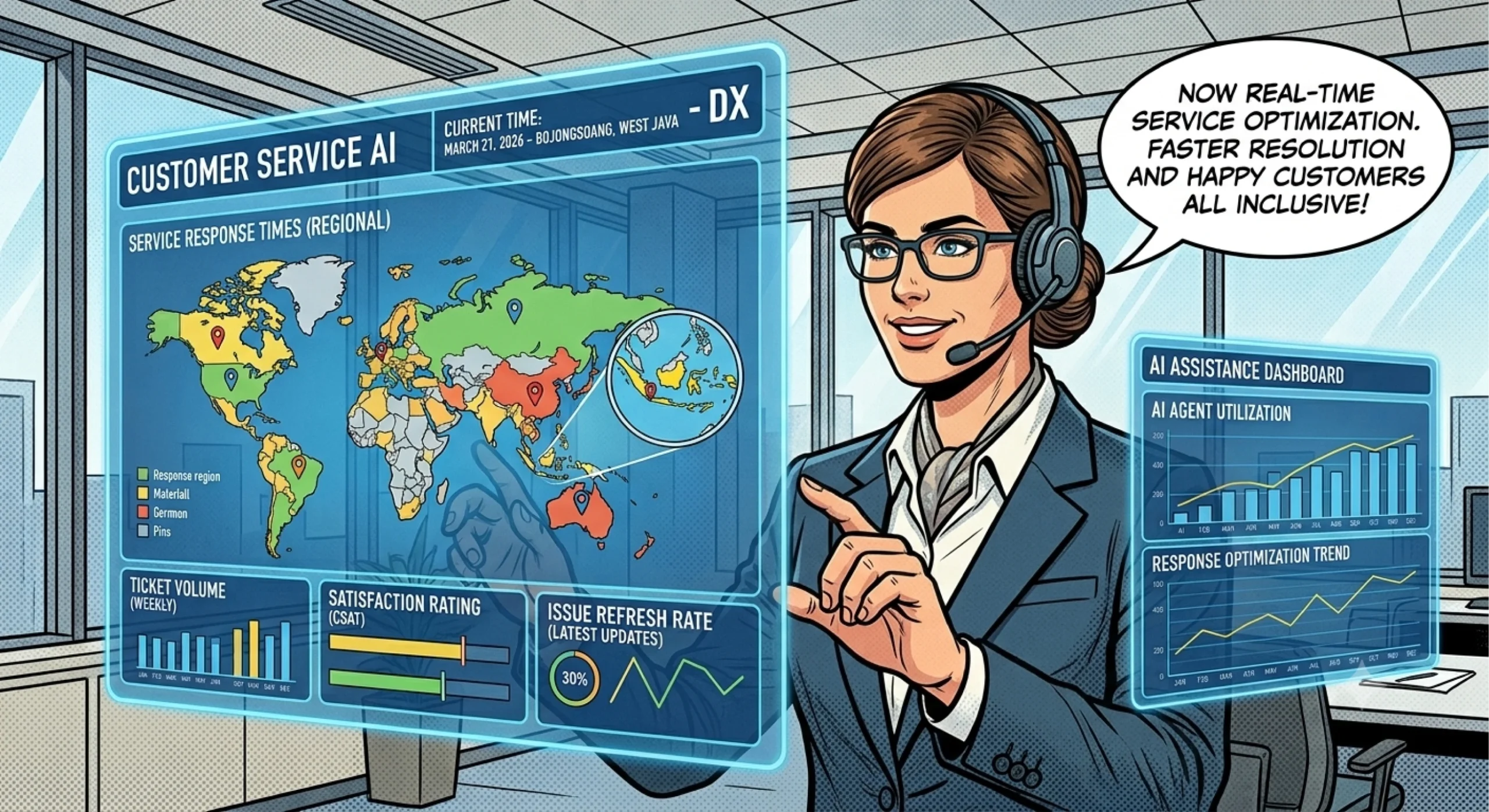
Customer service teams often spend more time answering the same questions than solving genuinely complex problems. Customers ask about business hours, order updates, account access, service availability, and common procedures. Although each question may seem simple, answering hundreds of similar requests can overwhelm support staff and delay responses to customers who need individual attention.
AI customer service software helps businesses reduce this repetitive workload by automating routine interactions, organizing incoming requests, and providing faster answers to common questions. Instead of replacing human agents, the goal is to let automation handle predictable tasks while employees focus on situations that require judgment, empathy, or specialist knowledge.
However, successful automation requires more than adding a chatbot to a website. Businesses need clear workflows, reliable information, appropriate escalation rules, and a way to measure results. This guide explains how AI customer service software works, which support tasks you can automate, and how to introduce it without sacrificing service quality.
What Is AI Customer Service Software?
AI customer service software uses artificial intelligence to help businesses manage customer inquiries and support operations. Depending on the solution, it may interpret customer messages, retrieve relevant information, generate responses, categorize requests, and guide users through predefined processes.
Traditional automation usually follows fixed rules. For example, a basic chatbot might display a menu and direct users to a specific page. AI-powered systems can go further by interpreting different ways customers express the same question.
Consider these messages:
- “What time do you close?”
- “Are you open on Saturday?”
- “Can I contact your team outside normal business hours?”
A well-configured AI assistant can recognize that these questions concern business availability and respond using the company’s approved information.
AI customer service software combines conversational AI, business knowledge, and workflow automation to handle suitable requests more efficiently. Its actual capabilities depend on the product, available integrations, and the quality of its configuration.
Businesses can explore the broader BuildX platform to understand its available AI solutions and identify potential applications for their workflows.
Which Repetitive Customer Support Tasks Can AI Automate?
The most effective starting point is usually a task that occurs frequently, follows a predictable pattern, and has a clear answer or process. Automating these requests can reduce unnecessary manual work without introducing excessive risk.
1. Answering frequently asked questions
Many customer inquiries concern information that rarely changes. Examples include operating hours, service coverage, account procedures, return policies, and basic product information.
An AI assistant can answer these questions using an approved knowledge base. As a result, customers can find information without waiting for an employee to respond.
However, businesses should review the source information regularly. Outdated policies or conflicting documentation can lead to incorrect answers and undermine customer trust.
2. Collecting information before escalation
Some requests require a human agent, but the initial information-gathering process often follows the same steps.
For example, a customer reporting a technical problem may need to provide their account details, device type, error message, and a description of the issue. AI can ask these preliminary questions before directing the request to the appropriate team.
This approach helps employees begin with useful context instead of asking customers to repeat information.
3. Routing inquiries to the right team
Customer support teams frequently receive requests that belong to different departments. Billing questions, technical problems, sales inquiries, and account issues may require different specialists.
AI can classify incoming messages by intent and direct them according to configured rules. This reduces unnecessary transfers and helps teams prioritize requests more consistently.
Nevertheless, businesses should provide a fallback route for unclear messages rather than forcing every inquiry into a category.
4. Sending routine updates and instructions
Depending on its integrations and permissions, a customer service system may help deliver standard instructions, explain next steps, or retrieve information from connected business systems.
For instance, an online service provider could guide a customer through password recovery or explain how to submit a support request.
For sensitive actions, such as changing account ownership or accessing private records, the system should verify identity and follow the company’s security procedures.
How to Automate Repetitive Support Tasks Step by Step
A structured implementation helps businesses avoid automating the wrong processes. Rather than attempting to handle every customer interaction immediately, start with a narrow use case and expand after evaluating its performance.
Step 1: Identify high-volume, low-complexity requests
Review support tickets, chat histories, emails, and frequently asked questions. Group similar inquiries and determine how often they occur.
Prioritize requests that meet three conditions:
- Customers ask them frequently.
- The business has a reliable answer or established procedure.
- The task requires little individual judgment.
For example, a service business might discover that many incoming messages ask about operating hours, appointment procedures, and service areas. These questions offer a practical starting point for automation.
Step 2: Prepare a reliable knowledge base
AI cannot consistently provide accurate answers if the underlying information is incomplete, outdated, or contradictory.
Create a central collection of approved information, including service descriptions, policies, troubleshooting instructions, and common customer questions. Assign responsibility for reviewing that content whenever the business changes its procedures.
Use clear language and organize documents by topic. Also, define which sources the AI should trust when two documents contain different information.
Step 3: Design the conversation workflow
Map the customer journey from the first message to the final resolution. Decide which questions the AI can answer independently, when it should collect additional information, and when it must transfer the conversation to a person.
For example, a billing inquiry might follow this sequence:
- Identify that the customer needs billing assistance.
- Explain general billing procedures using approved information.
- Ask for relevant details when the workflow permits it.
- Direct account-specific disputes to an authorized employee.
- Provide clear instructions about the next step.
This structure makes the experience more predictable and reduces the risk of unsupported answers.
Step 4: Configure human handoff and testing
Before launch, test realistic customer messages, including misspellings, incomplete questions, unusual requests, and attempts to obtain information outside the system’s permissions.
Define clear escalation triggers. These may include low confidence, repeated misunderstanding, complaints, sensitive account changes, or requests that require human judgment.
A customer should understand when a human agent will take over. Whenever possible, pass the conversation history to that agent so the customer does not need to start again.
Step 5: Launch gradually and improve
Begin with one channel or a limited set of questions. Review conversations regularly and record recurring errors.
Use those findings to improve the knowledge base, adjust routing rules, and identify new tasks suitable for automation. Expand only when the initial workflow performs reliably.
Businesses exploring implementation options can review BuildX AI customer service to learn more about its customer service offering.
How to Choose AI Customer Service Software
The right solution should match your support processes, customer communication channels, and operational requirements. A long feature list matters less than whether the software solves your actual problems.
Evaluate these factors before choosing a platform.
Answer accuracy and knowledge management: Check how the system uses business information, handles missing answers, and supports content updates. It should avoid inventing policies or presenting uncertain information as fact.
Human handoff: Confirm that the workflow can direct complex requests to an appropriate employee. Review whether the system preserves conversation context and explains the next step to the customer.
Channel compatibility: Determine whether the software supports the channels your customers use, such as website chat or messaging platforms. Verify integrations directly rather than assuming every channel is available.
Security and access controls: Review data retention, permissions, privacy practices, and integration security. Avoid giving an AI system access to sensitive records or actions it does not need.
Monitoring and analytics: Look for ways to evaluate conversation outcomes, identify unresolved inquiries, and review common failure patterns. These insights help teams improve service quality over time.
Ease of maintenance: Consider who will update answers, review conversations, and manage workflow changes. A solution that requires constant technical intervention may create a new operational burden.
For a broader understanding of conversational automation, see AI chatbot for business: features, benefits, and use cases. A chatbot can serve as one part of a customer service strategy, but its effectiveness depends on how well it fits the wider support process.
How to Measure the Results of Customer Service Automation
Automation should improve the customer experience as well as reduce repetitive work. Therefore, evaluate both operational efficiency and service quality instead of relying on the number of conversations handled by AI.
Track these key performance indicators (KPIs):
- First response time: How quickly customers receive an initial answer.
- Resolution time: How long the business takes to resolve an inquiry.
- Automation resolution rate: The proportion of inquiries that the system resolves without human intervention, using a clearly defined measurement.
- Escalation rate: The proportion of conversations transferred to human agents.
- Customer satisfaction (CSAT): How customers rate their support experience.
- Reopen or repeat-contact rate: How often customers return because an earlier answer failed to resolve their issue.
- Cost per resolved inquiry: The operational cost associated with completing a support request.
Interpret these metrics together. A high automation resolution rate may appear positive, but it can hide poor outcomes if customers abandon conversations or contact support again later.
Compare results against a baseline from before implementation. Segment the data by inquiry type and channel to identify where automation performs well and where human support remains necessary.
Also, review a sample of conversations manually. Quantitative metrics reveal patterns, while qualitative reviews help explain why the system succeeds or fails.
Best Practices for Reliable AI-Powered Customer Support
Long-term success depends on maintaining control over the customer experience. Use these practices to make automation more dependable.
Keep the AI’s responsibilities clear. Define which questions it can answer and which actions require human approval. Do not automate sensitive decisions simply because the technology makes them possible.
Make escalation easy. Customers should not have to fight through repeated chatbot responses to reach a person. Provide an appropriate handoff when the system cannot resolve the issue.
Protect customer information. Collect only the information required for the task. Apply suitable access controls and follow relevant privacy obligations.
Review real conversations. Look for incorrect answers, confusing instructions, and requests that the system repeatedly misunderstands. Use those findings to update content and workflows.
Tell customers what to expect. Make it clear when they are interacting with an AI assistant, where appropriate, and explain how they can obtain human assistance.
Expand based on evidence. Once the initial use case performs consistently, consider additional workflows. Gradual expansion makes it easier to identify problems and maintain service quality.
AI should support your team, not become another barrier between customers and the help they need. When businesses combine reliable information, well-designed workflows, and meaningful performance reviews, they can automate routine work while preserving human attention for complex situations.
If your team regularly answers the same questions, start by identifying one repetitive task and documenting its ideal resolution. Then explore the BuildX AI customer service solution to assess whether its available capabilities align with your requirements.
Frequently Asked Questions
1. What is AI customer service software?
AI customer service software uses artificial intelligence to answer customer questions, interpret messages, organize inquiries, and support service workflows. Its capabilities vary by platform and configuration.
2. Which customer service tasks should businesses automate first?
Start with frequent, predictable, low-risk requests, such as answering common questions, explaining standard procedures, collecting preliminary information, and routing inquiries to the appropriate team.
3. Can AI customer service software replace human agents?
Not entirely. AI can handle suitable routine interactions, while human agents remain important for complex complaints, sensitive issues, exceptions, and situations requiring judgment or empathy.
4. How can businesses prevent AI from giving incorrect answers?
Use an accurate knowledge base, restrict the system to approved information where possible, test realistic scenarios, monitor conversations, and establish clear escalation rules for uncertain requests.
5. How do you measure whether customer service automation works?
Track response and resolution times, automation resolution rate, escalation rate, customer satisfaction, repeat contacts, and cost per resolved inquiry. Evaluate these metrics together to ensure efficiency does not come at the expense of service quality.